
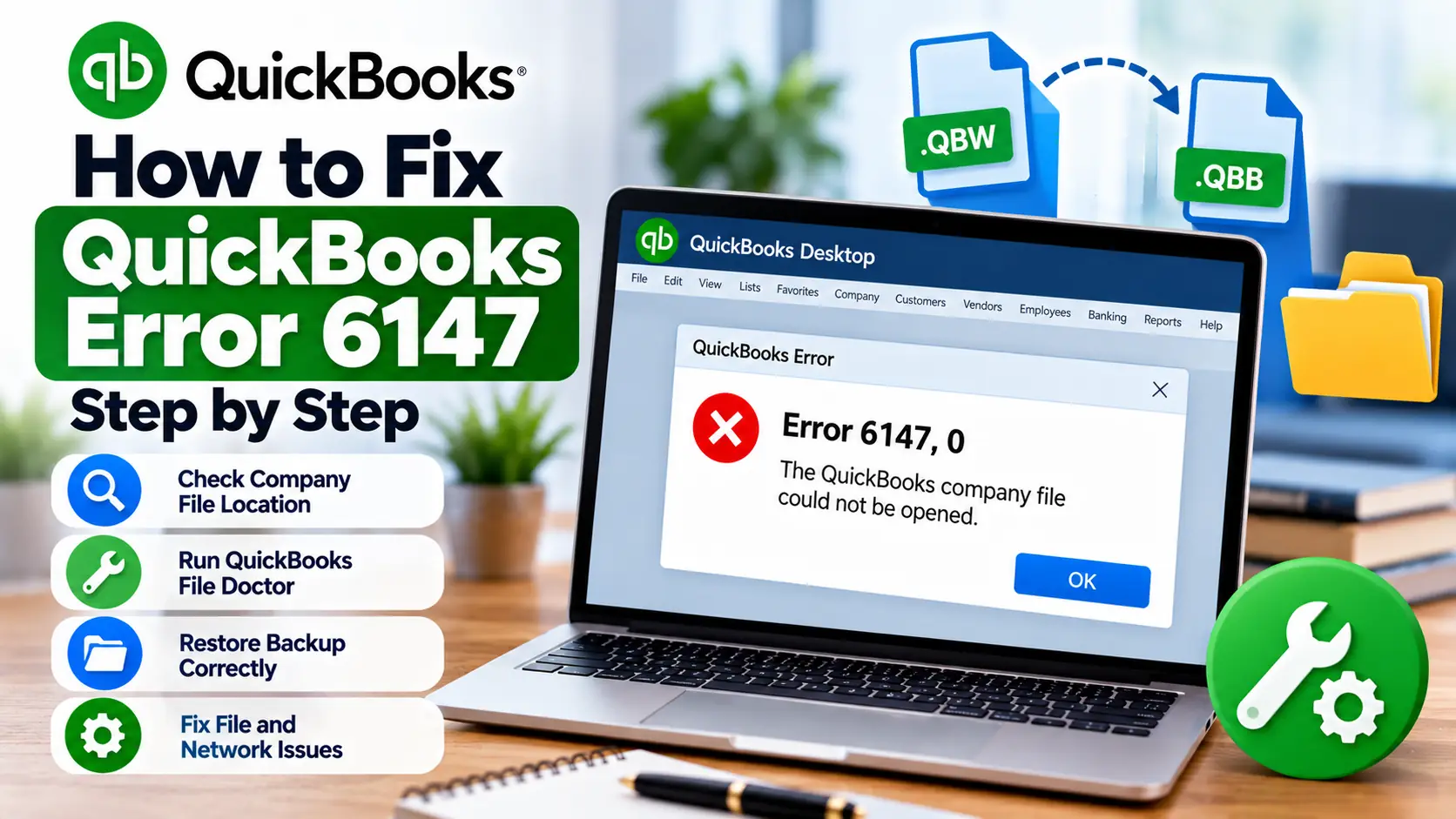
You may be trying to open the company file you use every day, or perhaps you are restoring a backup after moving QuickBooks to another computer. Instead of opening the data, QuickBooks stops with QuickBooks Error 6147, often displayed as -6147, 0.
This error belongs to the QuickBooks -6000 series of company-file problems. Intuit currently lists Error -6147, 0 as an issue that can appear when you open a company file or restore a QuickBooks backup (.QBB).
That makes one detail especially important: the correct fix depends on what you were doing when the error appeared.
If your normal company file will not open, start with company-file diagnostics. If the error appeared while restoring a backup, pay closer attention to the backup location, file path, and restore process.
This guide walks through both situations without assuming your accounting data is damaged.
What Is QuickBooks Error 6147?
QuickBooks Error 6147 is a company-file-related error in QuickBooks Desktop. Intuit specifically associates -6147, 0 with attempts to open a company file or restore a QuickBooks backup file.
QuickBooks File Doctor also officially supports Error -6147 among the company-file errors it is designed to diagnose.
In simple language, QuickBooks is having trouble successfully accessing or restoring the file you selected.
First Identify Which Situation Applies to You
Instead of trying every repair available, choose the path that matches what happened.
| Your Situation | Best Starting Point |
| Normal .QBW company file won’t open | Quick Fix my File / File Doctor |
| Backup .QBB won’t restore | Move backup to local drive |
| File was moved recently | Confirm correct file location |
| Backup is on USB or cloud storage | Copy it to local hard drive first |
| Error appears after selecting a network file | Test a local copy |
| Only one file gives the error | Focus on that file |
| Several files fail | Check QuickBooks program/network |
| Restored file may overwrite an existing file | Use a different name or folder |
This approach keeps troubleshooting focused.
What Do .QBW and .QBB Mean?
These two file types matter when understanding QuickBooks error code 6147.
A .QBW file is your normal working QuickBooks Desktop company file.
A .QBB file is a backup of that company file. When you restore a .QBB, QuickBooks creates a new .QBW working file from the backup.
For example:
ABC-Company.QBW = active working file
ABC-Company.QBB = backup file
If the error occurs during a restore, make sure you’re actually selecting the .QBB backup rather than trying to open it as though it were a normal company file.
Why Can QuickBooks Error 6147 Appear?
Intuit does not provide one universal cause for every -6147, 0 case, so it is better to troubleshoot the file and restore process than to assume a specific problem.
These are the main areas worth checking.
The company file cannot be opened normally
QuickBooks may have trouble reading the company file or the location where it is stored.
The backup is being restored from an external location
Intuit says that if a .QBB backup is stored on an external device such as a USB drive or on a hosting service such as Box, you should move it to your computer’s local hard drive before restoring it.
The file path may be creating trouble
Long or complicated file paths can interfere with restore operations in some -6000 error scenarios. Intuit’s current -6000 guidance recommends checking that the company-file path is not longer than 210 characters when restore errors occur.
The company file itself may need repair
If a normal .QBW file will not open, File Doctor can check for common company-file problems.
Intuit specifically lists Error -6147 among the errors QuickBooks File Doctor can help diagnose.
Quick Summary Table
| Issue | Details |
| Error | QuickBooks Error 6147 / -6147, 0 |
| Usually Appears | Opening a company file or restoring a backup |
| Working File Type | .QBW |
| Backup File Type | .QBB |
| First Company-File Fix | Quick Fix my File |
| Main Diagnostic Tool | QuickBooks File Doctor |
| Backup Restore Tip | Move .QBB to local hard drive first |
| File Location Check | Confirm correct file and path |
| Advanced Check | Test local copy / restore alternate backup |
| Important Precaution | Keep a backup before deeper file repairs |
Step-by-Step Troubleshooting
How to Fix QuickBooks Error 6147
Work through these steps in order. Test QuickBooks after each stage.
Fix Path A: Confirm You Are Opening the Correct File
Start with something simple: make sure you’re using the right file.
QuickBooks can automatically search for company and backup files from the No Company Open screen.
Intuit says the search can identify:
- .QBW working files
- .QBB backup files
You can also search Windows File Explorer using:
*.qbw
or
*.qbb
Compare:
- file name;
- date modified;
- location;
- file size.
This is especially useful if multiple copies of the same company file exist.
Fix Path B: Use Quick Fix My File
If the problem is opening the regular .QBW company file, use QuickBooks Tool Hub.
- Close QuickBooks Desktop.
- Open QuickBooks Tool Hub.
- Select Company File Issues.
- Choose Quick Fix my File.
- Wait for the process to complete.
- Select OK.
- Open QuickBooks.
- Try your company file again.
Intuit currently recommends Quick Fix my File before moving to the deeper File Doctor scan in its company-file troubleshooting workflow.
Fix Path C: Run QuickBooks File Doctor
If Quick Fix my File does not resolve the QuickBooks company file error 6147, run File Doctor.
- Open QuickBooks Tool Hub.
- Select Company File Issues.
- Choose Run QuickBooks File Doctor.
- Select your company file.
- If the file is not listed, choose Browse.
- Select Check your file.
- Choose Continue.
- Enter the QuickBooks admin password.
- Select Next.
- Wait for the scan to finish.
- Open QuickBooks and test the company file.
Intuit says File Doctor supports Error -6147 and notes that scans can take around 10–15 minutes depending on file size. It also notes that the scan may sometimes report that it was unsuccessful even when the underlying issue has been fixed.
Fix Path D: If the Error Appears While Restoring a Backup
This deserves a different approach.
If you see QuickBooks backup restore error 6147, first check where the .QBB backup is stored.
If it is on:
- a USB flash drive;
- an external drive;
- Box;
- another hosted location;
copy the backup to your computer’s local hard drive before restoring it.
Intuit explicitly recommends this for QuickBooks Desktop backup restoration.
Then restore it again:
- Open QuickBooks.
- Select File.
- Choose Open or Restore Company.
- Select Restore a backup copy.
- Select Next.
- Choose Local Backup.
- Select Next.
- Browse to your .QBB file.
- Choose a destination for the new company file.
- Select Save.
QuickBooks converts the backup into a new .QBW working company file.
Fix Path E: Avoid Overwriting Your Existing Company File
Be careful when choosing where the restored file will be saved.
If you restore a backup into the same folder as an existing company file with the same name, you could overwrite your current data.
Intuit recommends either:
- giving the existing file a different name;
- giving the restored file a unique name;
- or saving the restored file into a separate folder.
This does not directly repair Error 6147, but it prevents a troubleshooting attempt from creating a new data problem.
Fix Path F: Shorten an Overly Long File Path
If the restore continues to fail, check the path.
For example, this is unnecessarily complicated:
C:\Users\Accounting\Documents\2026 Files\Client Records\QuickBooks Backups\October\Final Backup\ABC Company\Backup.QBB
Move the backup temporarily to a simple local folder such as:
C:\QBBackup\ABCCompany.QBB
Intuit’s -6000 troubleshooting guidance says the path to the company file should not exceed 210 characters when handling certain restore failures.
Then try restoring again.
Fix Path G: Test a Local Copy of the Company File
If the .QBW file is currently stored on a network, copy it temporarily to the Windows desktop.
Then:
- Hold the Ctrl key.
- Open QuickBooks Desktop.
- Keep holding Ctrl until the No Company Open window appears.
- Select Open or restore an existing company.
- Browse to the copy on your desktop.
- Open it.
Intuit uses this local-copy test as part of its current -6000 troubleshooting process.
What does the result tell you?
If the desktop copy opens successfully, your original file location or network environment may be contributing to the problem.
If the local copy produces the same error, the file itself deserves closer attention.
Fix Path H: Restore a Different Backup
If your current .QBW file will not open even after File Doctor, test a known-good backup.
A backup is effectively an earlier save point of your accounting data.
Intuit explains that company-file backups contain your accounting information and related QuickBooks data and can be restored if the working file becomes unusable.
Use the most recent backup from before the problem appeared.
Do not overwrite your current file while testing.
What If QuickBooks Error 6147 Still Appears?
At this point, write down exactly what works and what does not.
If the .QBW fails but a backup restores
The working company file may need further investigation.
If both the company file and backup fail
Check:
- backup location;
- file path;
- file names;
- Windows storage location;
- QuickBooks installation;
- whether another known-good company file opens.
If the file works locally but not on your network
Focus on the original storage location or network environment rather than repeatedly repairing the accounting data.
12. Frequently Asked Questions
1. What is QuickBooks Error 6147?
QuickBooks Error 6147 usually appears as -6147, 0 while opening a QuickBooks Desktop company file or restoring a backup. Intuit lists it within its -6000 company-file error group and supports Error -6147 in QuickBooks File Doctor.
2. How do I fix QuickBooks Error 6147?
Start by locating the correct company file, then run Quick Fix my File and QuickBooks File Doctor from Tool Hub. If the error appears during a backup restore, copy the .QBB backup to your computer’s local hard drive and retry the restore.
3. Can QuickBooks File Doctor fix Error 6147?
It may help. Intuit specifically lists Error -6147 among the company-file errors QuickBooks File Doctor is designed to check. File Doctor can inspect your company file and help resolve certain file-related issues.
4. Why won’t my QuickBooks backup restore?
One possible reason is the backup’s location. If the .QBB file is stored on an external device or hosting service, Intuit recommends copying it to the local hard drive before attempting the restore.
5. Can I open a .QBB file like a normal company file?
No. A .QBB is a QuickBooks backup file. Use File > Open or Restore Company > Restore a backup copy. QuickBooks then uses the .QBB to create a new .QBW working company file.
6. Does Error 6147 mean my company file is permanently damaged?
Not necessarily. Error 6147 can occur during either company-file access or backup restoration. Before assuming permanent damage, run Quick Fix my File, use File Doctor, test a local copy, and try a known-good backup.
7. Can a long file path cause restore problems?
It can contribute to some -6000 restore errors. Intuit’s troubleshooting guidance recommends checking that the company-file path is no longer than 210 characters when dealing with restore problems.
8. What if I see Error 6176 instead of Error 6147?
Error 6176 belongs to a related but different company-file problem. If that is the code shown on your screen, see our guide to QuickBooks Error 6176 for troubleshooting focused on that error.
9. What if the error happens during a QuickBooks update instead?
That requires a different troubleshooting path because update/connectivity errors are not the same as a company-file restore problem. Our guide on QuickBooks Error 12152 covers update and connection-related troubleshooting.
10. Should I reinstall QuickBooks for Error 6147?
Not as the first step. Error 6147 is associated with opening or restoring company files, so file diagnostics and restore checks are more appropriate first. Consider program repair only if other known-good company files also fail to open.